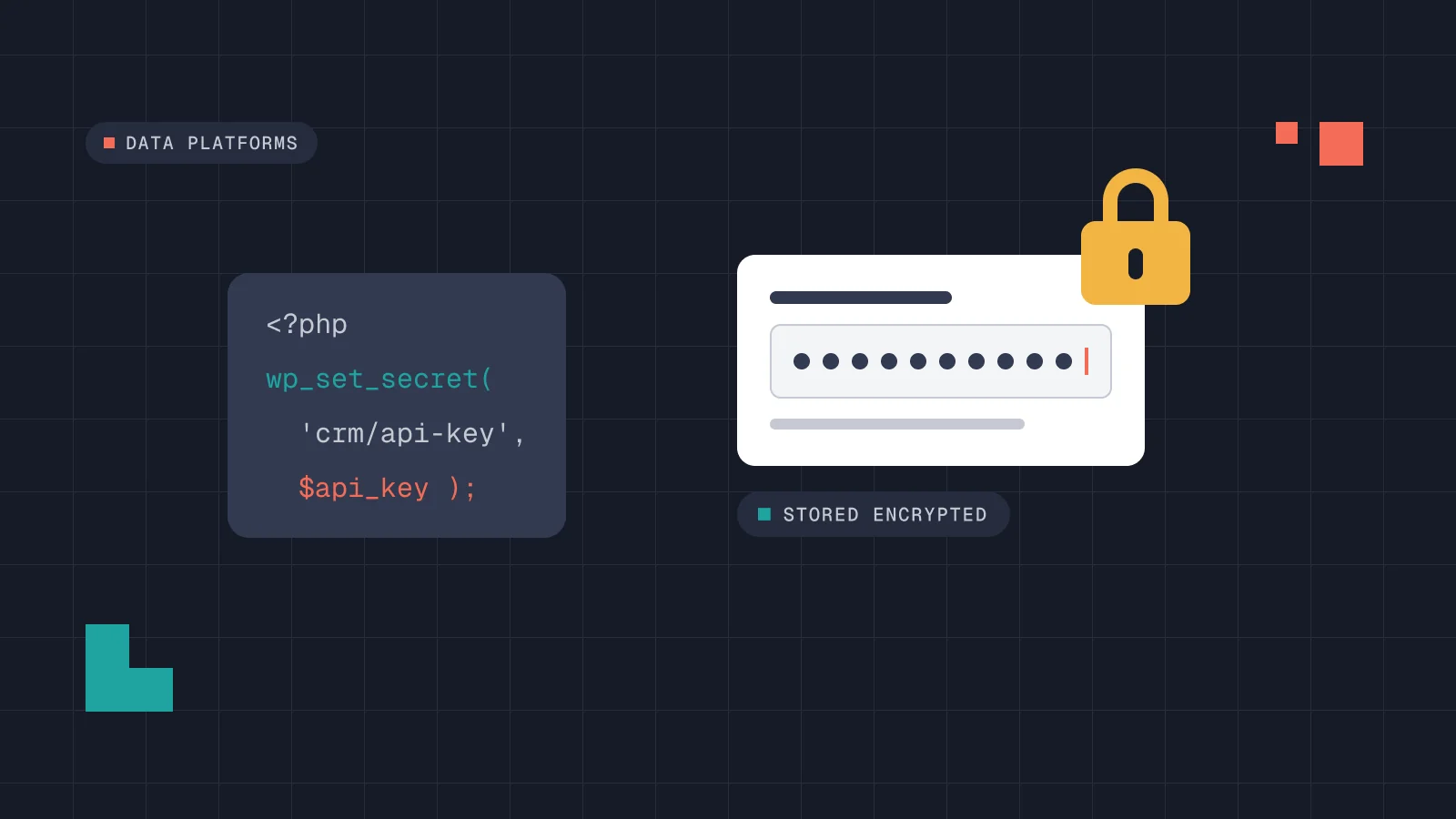
Most WordPress plugins that need an API key keep it in the same place as the site tagline: a settings page that writes to the options table. If you need to store API keys in WordPress, there are better places for them today. WordPress 7.2, due on 8 December 2026, adds a Secrets API that plugins can use to store them encrypted. Here is where we keep credentials on client builds, what the new API changes, the code we use to support both, and the checklist we run before handing a project over.
Why API keys in the options table are a problem
A settings field is the easy path, and for years it was the only one core offered. The Secrets API proposal puts it plainly: plugins that need an API key write it to the options table in plain text, so the key ends up in every database dump, every backup, every staging clone and every wp option get run in a shared terminal.
That is the real risk. Nobody has to hack the site. Someone sends a database export to a freelancer, a staging copy sits on a cheap server, or a support screenshot shows the settings page. Each of those copies is a working key for your Stripe, HubSpot or Mailchimp account.
Plain text in the database is also hard to clean up. Once a key has been in wp_options, it is in every backup taken since. Moving it somewhere safer protects the future, not the past. Only rotating the key at the provider fixes that.
Where we store API keys in WordPress today
In the code we write, a credential never goes into the options table. It lives in one of two places, both outside the database:
- Environment variables set in the hosting panel or the server configuration. This is our first choice when the host supports it, because the value never touches a file we deploy.
- Constants in
wp-config.php, which is not in the Git repository and is not part of a database export.
Lipid Atlas is a good example. The WordPress platform talks to a private dataset on Hugging Face and to a Python calculation engine in a private Space. The tokens for those connections follow the same rule: they are server configuration, not settings in the admin. The client’s team edits plans, texts and data from the admin. We wrote about the rest of that build in selling access to data with WordPress.
Third-party plugins that only offer a settings field are the exception. We list them in the handover checklist below and rotate their keys on a schedule.
The trade-off is that a non-technical editor can’t change the key from the dashboard. For credentials, we think that is the right default. Changing a payment key should be a deliberate step, not a field someone edits by mistake.
What the WordPress 7.2 Secrets API changes
The Secrets API dev note describes a core API for credentials such as API keys and OAuth client secrets. WordPress 7.2 is scheduled for release on 8 December 2026, and the dev note was revised during the beta, so check it again before you build on it.
What it does
- Secrets are encrypted with libsodium (XChaCha20-Poly1305) and still stored in the options tables. Their keys are derived from a random root key, which is itself encrypted with a new
WP_SECRETS_KEYconstant inwp-config.php. wp_get_secret()returns aWP_Secretobject. Printed, logged or dumped, it shows a placeholder such as[secret:my-plugin/api-key]. Onlyreveal()returns the value.- Writing a new value keeps the previous one, so you can rotate a key without breaking requests that are already running.
wp_import_option_as_secret()copies an existing option into a secret and flags it for rotation.- Hosts can replace the storage or hand the whole API to an external secret manager with a
secrets.phpdrop-in. On some hosts the values are managed in the hosting dashboard, and WordPress can only read them. - Site Health gets three new checks under Security: a missing or unusable key, secrets that can’t be decrypted, and credentials pending rotation.
What it doesn’t do
It is not access control. The names use a plugin-slug/secret-name prefix, but any code running on the site can read any secret. The functions don’t check capabilities either, because they have to work from cron and the REST API. Your settings screen still has to check who is entering or managing a value.
It also does not protect against code execution inside WordPress. A compromised plugin can read a secret, just as it can read wp-config.php or the environment. What the API protects against is the long tail of copies: dumps, backups, replicas, exports and screenshots.
WP_SECRETS_KEY is the value you can’t lose
New installs get the key automatically. Existing sites need it added by hand, and Site Health generates the line to paste below the salts. Without a usable key, the API stores nothing, and every write and every read of a stored secret returns an error.
The key is not like the salts. The dev note is explicit: once secrets are stored, changing or removing WP_SECRETS_KEY makes all of them unreadable until the old value comes back. That changes how we treat migrations and restores. A database backup restored without the matching WP_SECRETS_KEY brings back secrets that nobody can decrypt.
Reading a key with a fallback for older sites
Our client sites won’t all be on 7.2 on the same day, and some hosts will be slower than others. So we read credentials through one small helper. It uses the Secrets API when it is there and working, and falls back to the environment and then to a constant.
/**
 * Returns the CRM API key, or null if none is configured.
 * Call it where the key is used. Never save the result
 * in an option, a transient or a log.
 */
function pw_crm_api_key(): ?string {
	if ( function_exists( 'wp_get_secret' ) ) {
		$secret = wp_get_secret( 'pw-crm/api-key' );

		if ( $secret instanceof WP_Secret ) {
			return $secret->reveal();
		}

		if ( is_wp_error( $secret ) ) {
			// Stored but unreadable right now. Don't ask for a new key.
			error_log( 'pw-crm: secret unavailable (' . $secret->get_error_code() . ')' );
			return null;
		}
		// null: never stored. Fall through to the server configuration.
	}

	$env = getenv( 'PW_CRM_API_KEY' );
	if ( false !== $env && '' !== $env ) {
		return $env;
	}

	return defined( 'PW_CRM_API_KEY' ) ? PW_CRM_API_KEY : null;
}
Two details matter here. wp_get_secret() returns null only when the secret was never stored, and a WP_Error when it exists but can’t be read. If your code treats both as “missing” and prompts for a new key, it can overwrite a credential that still works. That is also why we don’t gate reads on wp_is_secrets_api_available(): it returns false when the key has changed, and a stored secret would then look like a missing one. And the log line records the error code, never the value.
Moving a key out of wp_options
Core does not sweep the options table for you, because it can’t tell which options are credentials. If a plugin you maintain already stores a key there, the move is a one-off step on upgrade:
if ( function_exists( 'wp_is_secrets_api_available' )
	&& wp_is_secrets_api_available()
	&& false !== get_option( 'pw_crm_api_key' )
) {
	$result = wp_import_option_as_secret( 'pw_crm_api_key', 'pw-crm/api-key' );

	if ( true === $result ) {
		// The import leaves the option in place. Remove it yourself.
		delete_option( 'pw_crm_api_key' );
	}
}
Then rotate the key at the provider. The imported secret is flagged for rotation for a good reason: the old value is still sitting in every backup taken before the move.
Our credentials checklist for project handover
This is the list we go through before a site with integrations goes live or moves to a client’s team or a care plan.
- Inventory. One line per credential: service, which account it belongs to, where it is stored, who can rotate it.
- Ownership. Keys are issued from the client’s own account at the provider, not from ours.
- Location. No credential in the theme, ACF fields or the Git repository, and none in the options table unless a third-party plugin offers no alternative. Then it is listed and rotated on a schedule. Everything else goes in environment variables,
wp-config.phpor, on 7.2 and later, the Secrets API. - Environments. Staging and production use different keys, and test-mode keys wherever the provider offers them. A staging clone never carries a live payment key.
- Scope. Each key has the smallest permissions the provider allows for what the site does.
- Exposure. Any key that has been in
wp_options, an email or a chat message is rotated before launch. - WordPress 7.2 and later.
WP_SECRETS_KEYis set, stored in the client’s password manager, and kept apart from the database backups. Site Health shows no Secrets API warnings. - Handover document. Where each credential lives and the steps to rotate it, written for the person who will do it.
Treat WP_SECRETS_KEY like the key to a safe, not like a salt. Back it up somewhere other than the database, and never change it without the steps in the dev note, or every stored secret stops working.
If you are planning a platform that connects WordPress to payments, a CRM or your own data, this is part of how we build data platforms and web apps and custom WordPress development.
FAQ
Is it safe to store an API key in a plugin’s settings page?
It works, but unless the plugin uses the WordPress 7.2 Secrets API, the value goes into the options table in plain text, and so into every backup and database export. Prefer an environment variable or a constant in wp-config.php, or the Secrets API once your site and the plugin support it.
Does the Secrets API stop other plugins from reading my keys?
No. Any code running on the site can read any secret. It protects keys in copies of the database, such as backups, dumps and staging clones, not from code inside WordPress.
What happens if I lose WP_SECRETS_KEY?
Stored secrets can’t be decrypted until the original value is back. Site Health will report it. Keep the key in a password manager, separate from your database backups.
Do I need to change anything before 8 December?
Nothing breaks if you wait. Check whether your plugins and host plan to support the API, add WP_SECRETS_KEY when you update, and use the time to move any keys still sitting in wp_options and rotate them.